
Can I modify or cancel my order?Updated 8 hours ago
To manage your order, visit the order sign-in page and log in using your Order # and Email, or select “Sign in with email” at the bottom to quickly access your most recent order.
You can also click the profile icon in the top right, then go to Orders to select your order and view available options.
Make sure to use the same email address used at checkout.
After the one-hour window has passed, orders are processed quickly and can no longer be modified.
Editing Your Order
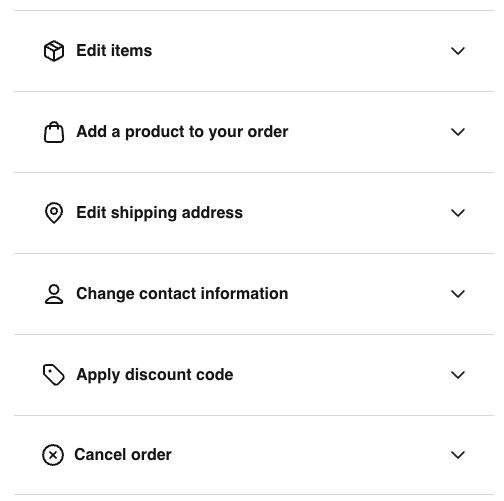
From the Order Details screen, click “Edit order”, you’ll see the available options below. Each one lets you make a specific change to your order:
-
Edit items
- Update the items in your order, including changing size, color, or quantity, or removing an item.
-
Add a product to your order
- Add another item to your existing order without placing a new one.
-
Edit shipping address
- Update the shipping address for your order before it is processed.
-
Change contact information
- Update the email address or phone number associated with your order.
-
Apply discount code
- Enter a valid promo code to apply a discount to your order, if eligible.
-
Cancel order
- Cancel your entire order.
All changes must be made within 1 hour of placing your order. After that, the order is processed and can no longer be modified or canceled.
After one hour we cannot accommodate any address update or cancel requests. If you decide you need to return or exchange an order after you receive it, you can start a return for eligible items through our return portal. Any applicable return shipping cost will be shown during the return process and may vary based on your Sak Rewards tier. Please note that final sale items cannot be exchanged or returned.
To create a return or exchange, click here
Enter your email associated with the order and 10 character order number SAK1234567 (include SAK)